

DMCA Takedown Guide for Creators: How to Remove Stolen Content
27 Jun 2026 • 627 views
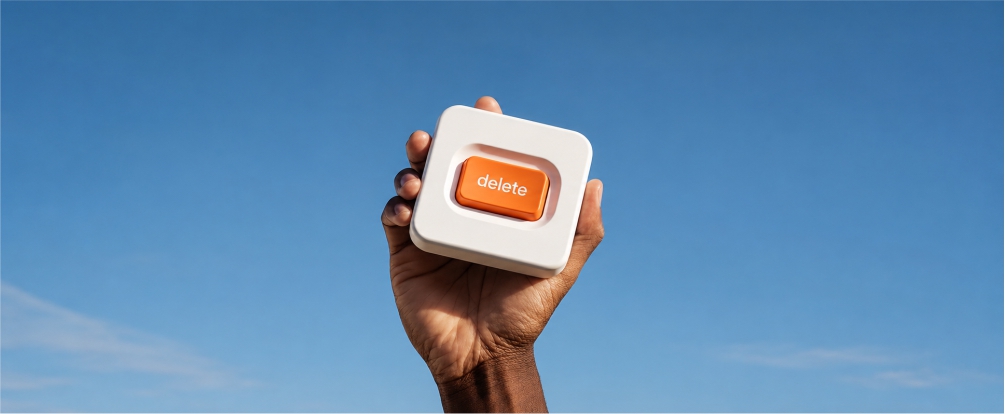
DMCA Takedown: Guide for Creators
If your content has been stolen and published without your permission, you have the right to request its removal. For creators, this is especially important when leaked content starts appearing on fake websites, repost pages, forums, search results, or other platforms.
In this guide, we’ll explain what a DMCA takedown is, how it works, what you need to prepare, and why removing leaked content usually requires more than one complaint.
What is a DMCA takedown?
A DMCA takedown is not just a general complaint about a website.
It is a legal request to remove copyrighted content that was published without permission.
Creators use DMCA takedowns when their content is stolen, copied, reposted, or leaked online. This can include:
• photos
• videos
• written content
• online courses
• digital products
• artwork
• paid content
• spicy content from platforms like OnlyFans, Fansly, or similar creator platforms
The main point is simple: if someone uses your copyrighted content without your permission, you can request that it be removed.
What do you need before submitting a DMCA takedown?
📌 The most important part of a DMCA request is proof.
You need to show that the content belongs to you and that the page you are reporting is using it without permission.
Before submitting a takedown request, collect as much evidence as possible.
This may include:
• the original link to your content
• the original publication date
• your creator profile
• the original file, if you still have it
• watermark proof
• edit files or project files
• screenshots from your account or dashboard
• any other proof showing that you are the owner of the content
The stronger your proof is, the easier it is to show that the content was stolen.
Always collect the exact URL of the violation
⚠️ One of the most common mistakes creators make is reporting an entire website without saving the exact link to the stolen content.
For a DMCA takedown, you need the direct URL where your content appears.
This could be:
• a specific page
• a video link
• an image URL
• a post
• a file page
• a search result page
It is usually not enough to say, “This website stole my content.”
You need to show exactly where the stolen content is located.
Where can you send a DMCA takedown request?
A DMCA takedown request does not always go directly to the website owner.
Depending on where the content appears, you may need to send the request to different places, including:
• the website itself
• the hosting provider
• the domain registrar
• Google Search
• YouTube
• social media platforms
• file-sharing platforms
• other services that can remove the content or limit access to it
The right place to send the complaint depends on where the stolen content is hosted and how it is being distributed.
Google removal vs. website removal
It is important to understand the difference between removing content from Google Search and removing content from the website itself.
These are not the same thing.
A Google removal can remove the page from search results. This means the stolen content becomes harder to find through Google, and the website may lose traffic.
But the file or page may still remain on the original website.
Removing content from the website itself usually takes more time. It may require contacting the hosting provider, platform, or other responsible parties.
Both steps matter.
Google removal can be a fast way to reduce visibility and traffic to the stolen content. Website removal is necessary if you want the content itself to be taken down from the source.
When a DMCA takedown may not be enough
⚠️ A DMCA takedown is based on copyright ownership.
This means it may not always apply in every situation.
For example, if you appear in a photo but do not own the copyright to that photo, a DMCA request may not be the right complaint type.
In some cases, you may need a different type of report, such as:
• privacy complaint
• impersonation report
• non-consensual intimate content removal request
• platform abuse report
• fraud or phishing report
Choosing the right complaint type is important. If you send the wrong type of report, the platform may reject it or ignore it.
Common DMCA takedown mistakes creators make
Many creators try to file DMCA requests on their own, but small mistakes can slow down the process or lead to rejection.
The most common mistakes are:
• Sending complaints without exact URLs
• Not providing enough proof of ownership
• Writing an overly emotional complaint instead of a clear legal request
• Sending the complaint to the wrong place
• Removing the page from Google but forgetting about the original website
A strong DMCA request should be clear, specific, and supported by evidence.
Why one takedown is often not enough
One takedown does not always solve the problem.
Stolen content often spreads across multiple websites. Scam sites copy each other, create mirror pages, rename files, and repost the same content under different URLs.
This means the same leaked content can appear again and again, even after one page has been removed.
That is why creators need ongoing monitoring.
⚡ The faster you remove the first leak, the lower the chance that it will spread further.
Can you do DMCA takedowns manually?
Yes, you can submit DMCA takedowns manually.
But in practice, it can become a lot of work.
You need to:
• search for new leaks every day
• collect exact URLs
• prepare proof of ownership
• fill out Google removal forms
• contact websites, platforms, and hosting providers
• track old complaints
• check whether the content was actually removed
• repeat the process again when new copies appear
For many creators, this quickly becomes a full-time task.
Using a content protection service
For situations like this, many creators use content protection services.
Takedown.co helps creators find and remove stolen content online. The platform scans more than 420,000 websites every day, works 24/7, and automatically submits DMCA takedown requests to remove leaked content.
Takedown.co removes more than 99% of leaked content, helping creators protect their work, traffic, reputation, and income.
🎯 If you want to stop chasing leaks manually, you can try Takedown.co for free for the first 7 days.
